How Mesh Healing Works and What Algorithms Are Involved
3D meshes are rarely born clean. Whether they come from a 3D scanner, a CT reconstruction, a CAD export, or a generative pipeline, real-world meshes arrive with holes, flipped normals, overlapping triangles, and topology that no downstream algorithm can trust. Mesh healing is the automated process that turns this messy input into a valid, watertight, manifold model. This guide explains what mesh healing does, the defects it targets, and the algorithms that make it work.
What Is Mesh Healing?
Mesh healing (also called mesh repair) is a pipeline that detects and corrects the combinatorial and geometric defects in a triangular mesh so the result is manifold, watertight, and consistently oriented. The distinction matters because almost every serious operation you want to run afterwards — Boolean operations, offsetting, wall-thickness analysis, FEM simulation, or slicing for 3D printing — assumes the input describes a well-defined solid. Feed those operations a broken mesh and they either crash, hang, or silently produce garbage. Healing is the guarantee layer that makes the rest of the pipeline reliable.
Common Mesh Defects
That Require Healing
Before you can fix a mesh, you have to know what is wrong with it. These are the five defects a robust healer has to recognize and repair.
Holes and Gaps
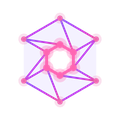
Missing triangles leave open boundaries, so the algorithm cannot tell “inside” from “outside.” Typical of scan occlusion and incomplete surface reconstruction.
Non-Manifold Edges
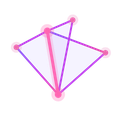
An edge shared by more than two faces — or a vertex pinching two patches together — breaks the assumption of a clean 2-manifold surface.

Self-Intersections
Triangles that pass through each other confuse inside/outside classification — the number-one cause of failed Boolean operations.
Degenerate Triangles
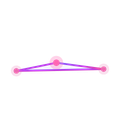
Near-zero-area slivers and coincident faces behave like tiny self-intersections and destabilize numerical predicates.
Inconsistent Orientation
When neighboring triangles disagree on which way is “out,” normals flip and rendering, offsetting, and volume calculations go wrong.
The Mesh Healing Pipeline:
Detect Before You Fix
Every robust healer analyzes before it edits. Two building blocks make large-scale detection possible.
Spatial Acceleration Structures
Detecting self-intersections or coincident geometry naively is an O(n²) comparison of every triangle against every other. Production libraries build an AABB tree / BVH (bounding volume hierarchy) so proximity and intersection queries run in near-logarithmic time, making detection tractable on million-triangle meshes.
Topology Analysis
The healer walks the half-edge structure to find boundary loops (holes), count connected components, flag non-manifold elements, and test manifoldness — the map of defects that drives every repair step that follows.
Core Mesh Healing Algorithms
With defects mapped, localized repair fixes each one in place — keeping the good geometry untouched.
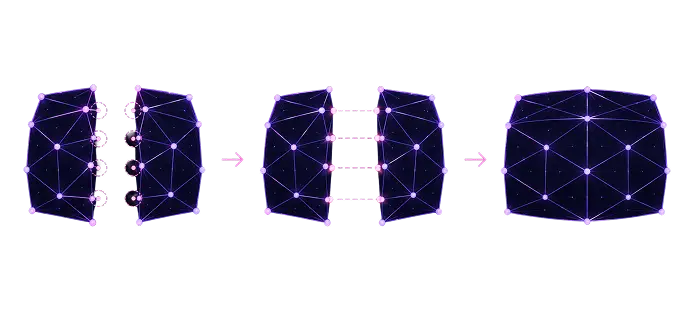
Vertex Welding and Boundary Stitching
Coincident vertices are merged using spatial hashing within a tolerance, and matching boundary edges are stitched to close cracks.
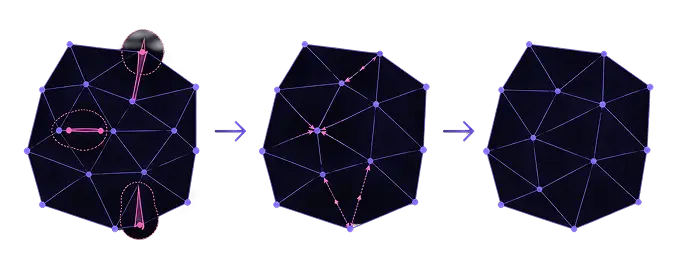
Removing Degenerate Faces
Zero-area and sliver triangles are eliminated by edge collapse, preserving the surrounding geometry while improving mesh quality.
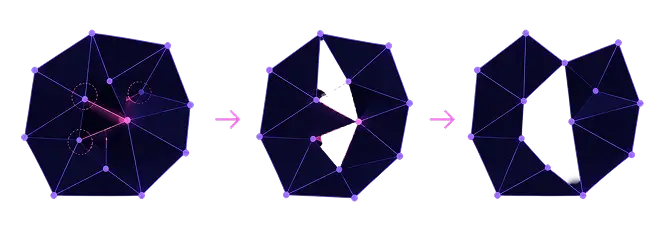
Fixing Non-Manifold Geometry
Shared non-manifold edges and vertices are split into separate manifold patches so each surface has valid topology.
Enforcing Consistent Orientation
A breadth-first traversal propagates consistent face winding across connected components, flipping triangles where needed.
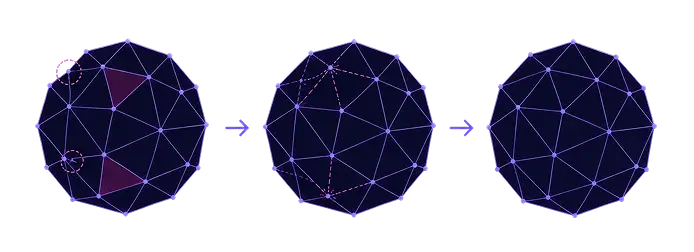
Hole Filling
Open boundary loops are triangulated to reconstruct missing regions, then optionally smoothed using Laplacian fairing.
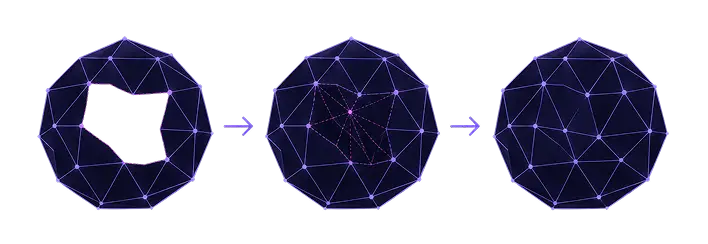
Self-Intersection Resolution
Intersecting regions are refined along intersection curves, and interior fragments are removed to produce a clean outer shell.
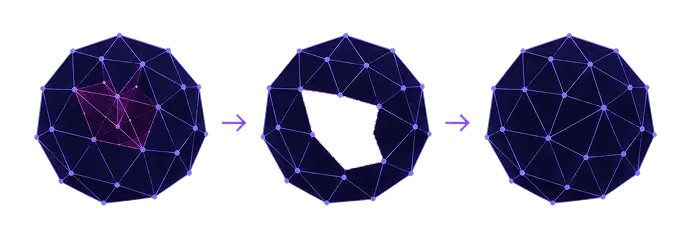
Volumetric Healing: The “Rebuild It” Option
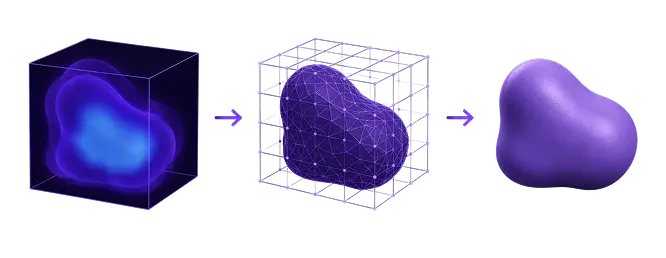
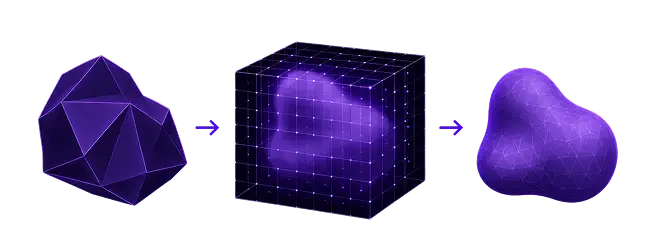
When a mesh is too damaged for local fixes, healing goes implicit — it rebuilds the surface from a volume instead of editing triangles.
Voxelization and Signed Distance Fields
The mesh is sampled into a signed distance field (SDF), which is defined everywhere in space and inherently eliminates holes, non-manifold edges, and self-intersections.
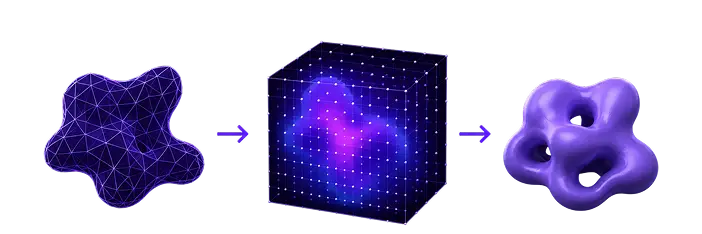
Re-Extraction with Marching Cubes / Dual Contouring
A fresh surface is extracted from the SDF, yielding a guaranteed watertight, manifold mesh. In MeshLib this is exposed as zero-offset / auto-repair.
The Trade-off
Volumetric healing is bulletproof but resolution-limited. It can soften sharp edges and change triangle count, making grid resolution the balance between fidelity and robustness.
Local vs. Global Healing Strategies
Localized repair keeps the original geometry and fixes only the defective spots — ideal when most of the mesh is good. Global (voxel) reconstruction rebuilds everything — the right call when defects are pervasive or the source data is very noisy. Mature workflows escalate: try local first, fall back to volumetric.
| Strategy | Keeps original geometry | Best when… |
|---|---|---|
| Local repair | Yes — edits only defects | Most of the mesh is already valid |
| Global / voxel | No — rebuilds the surface | Defects are pervasive or data is very noisy |
Key Takeaways
Mesh healing is detection-plus-repair: find defects with spatial and topological analysis, fix them with welding, hole filling, orientation, and self-intersection resolution, and fall back to voxel reconstruction when needed. Get healing right and everything downstream — Booleans, offsets, printing, simulation — just works.
What our customers say
Massimo Ivani
CEO, Medialab

Read full review«Our application is a medical device, so we have to be able to trust the SDK behind it. We built a lot of internal tests before switching, and MeshLib gave us the precision we had before at twice the speed…»
Ruedger Rubbert
Chief Technology Officer, Brius Technologies Inc

Read full reviewWith MeshInspector MeshLib we were able to automate many of our workflow processes, thanks to its advanced, modern, and efficient dental and geometry oriented algorithms, covering many of our orthodontic-related tasks: CT and intraoral scan segmentation, voxel and Boolean operations, editing, aligning, visualization, inspection, and import/export of mesh objects. We use the versatile MeshInspector MeshLib API, both in production and R&D for fast prototyping and testing of our ideas.
Mariusz Hermansdorfer
Head of Computational Design at Henning Larsen Architechts

Read full reviewOver the past year, MeshLib has transformed my approach to design and analysis in landscape architecture and architecture projects. This powerful library excels in critical areas, such as geometry processing, interactive booleans, point cloud manipulation, and curve offsetting. These features enhance design workflows, allowing for dynamic modifications, efficient terrain modeling, stormwater flow analysis, and advanced wind flow visualiiza…
Gal Cohen
CTO, customed.ai
Read full reviewMeshLib has been a game-changer for our company, providing all the essential operations we need to handle meshes and create highly accurate personal surgical instruments (PSIs), which are our primary products. After extensive research and comparison, MeshLib stands out as the best solution on the market. Their team is exceptionally professional and knowledgeable. Collaborating with them has been an absolute pleasure—they respond to any issues we encounter promptly and always deliver effective solutions. Their commitment to customer support and technical excellence is truly unmatched.
HeonJae Cho, DDS, MSD, PhD
Chief Executive Officer, 3DONS INC

Read full reviewMeshLib SDK helped us achieve faster and more accurate calculation results and outperformed any other Mesh Processing library that we evaluated. For us in digital dentistry, it was a game-changer. Mesh processing operations, such as inspecting and editing the mesh to create dental devices for the treatment plan, are crucial. MeshInspector support liberated our team from technical constraints so we concentrated on creating exactly what we wanted. I highly recommend incorporating the MeshLib into your software arsenal.
Thomas Tong
Founder, Polyga

Read full reviewWhen we set out to develop our new PointKit scanning platform, we chose MeshInspector’s MeshLib as the foundation. That partnership let us accelerate development, ship new features faster, and get to market months sooner than we could have on our own. The MeshInspector team has been outstanding — quick answers, deep technical know-how, and genuine enthusiasm for our success. We simply wouldn’t be where we are today without their support.
Join companies switching to next-gen geometry algorithms.


















Try MeshLib now
Booleans, mesh repair, decimation and ICP — in your browser, as JavaScript and WebAssembly. No install, no sign-up.
Open live demoOr install the SDK — free to evaluate