Rhino 3D Alternative for 3D Boolean Operations
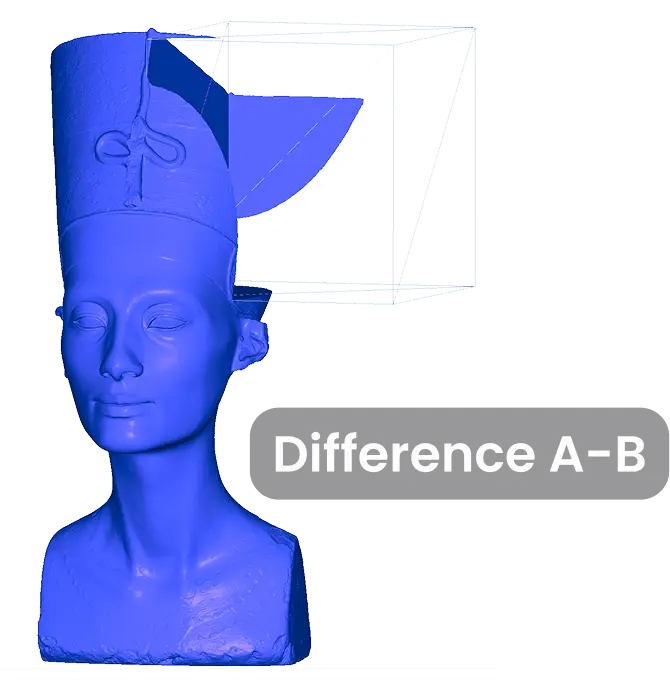
3D Boolean operations (i.e., union, intersection, and difference) are indispensable when it comes to combining or dissecting complex shapes. They enable precise editing of models in 3D printing, prototyping, medical imaging, and engineering. Without them, managing intricate geometries both quickly and with accuracy becomes impossible.
What is MeshLib?
MeshLib serves versatile engineering teams globally in the capacity of an advanced and modern software development kit (SDK). Our 3D data processing library was designed for convenient and exact 3D data manipulations, processing, and assessments.
What is Rhino 3D?
Rhino 3D, also known as Rhinoceros 3D, is a potent and versatile 3D modeling software tool. It builds upon NURBS (Non-Uniform Rational B-Splines), providing for precise mathematical representations of curves and freeform surfaces.
MeshLib vs Rhino 3D comparison results
As in other comparison rounds with other contestants, our setup was as follows: Apple M5 MacBook Air (10-core CPU, 32 GB unified memory) running macOS 26; we report the min over 10 iterations per operation, with mesh I/O excluded. In case you want to verify our outcomes or run your own test on another setup, feel free to find our input models (as well as the resulting Boolean files) here.
Nefertiti Case
This scenario involves large meshes (2M Triangles each) with complex topology, representing a common challenge in 3D boolean operations.
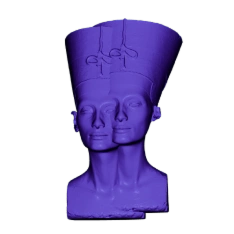
Union
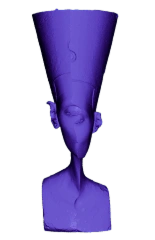
Intersection
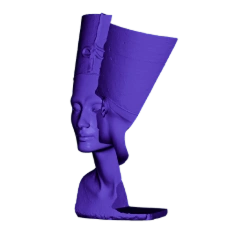
Difference A-B
| MeshLib | Rhino 3D | |
|---|---|---|
| Nefertity – Union | 0.09 (0.26) | 27 |
| Nefertity – Intersection | 0.08 (0.23) | 27 |
| Nefertity – Difference | 0.08 (0.23) | 28 |
Comments
Both engines completed all three operations, but MeshLib took a fraction of the time — 0.09 s versus 27 s for the union. Note that in our 2026 run Rhino’s intersection and difference results were geometrically incorrect, while MeshLib’s stayed correct. This is a serious advantage if you plan to execute 3D Mesh Boolean operations at scale on intricate meshes.
Dental Case
Here, we test 3D Boolean Union, Intersection, and Difference operations, based on two dental objects. The situation is made more challenging by degenerate triangles (~500k faces), as well as degeneracies coupled with coinciding surfaces.
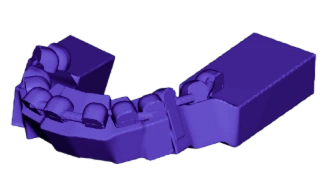
Union
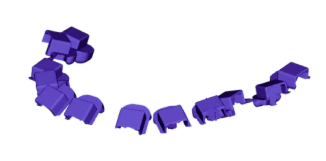
Intersection
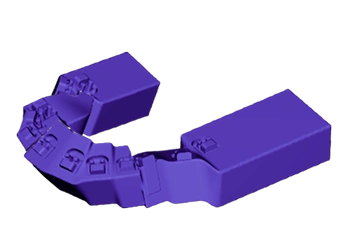
Difference A-B
| MeshLib | Rhino 3D | |
|---|---|---|
| Dental – Union | 0.04 (0.06) | 7.8 |
| Dental – Intersection | 0.05 (0.08) | 7.8 |
| Dental – Difference A-B | 0.05 (0.07) | 7.8 |
Comments
Both contestants returned results, but MeshLib was dramatically faster — about 0.05 s versus 7.8 s per operation — and, unlike Rhino 3D in our 2026 run, its outputs were geometrically correct on this degenerate input.
Simple Objects Case
In this case, we compare how algorithms behave when handling complex geometries.
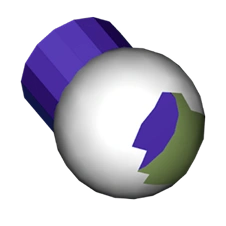
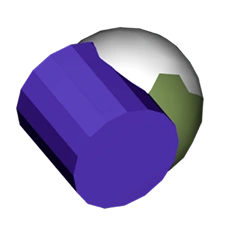
Holed, Not Intersected
One with a hole aside from our intersection part.
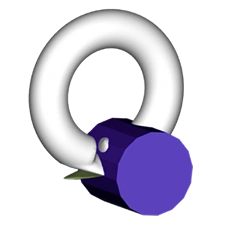
Holed Intersected
One with a hole into our intersection part
Self-Intersections
One with self-intersections into our meshes’ intersection part.
| MeshLib | Rhino 3D | |
|---|---|---|
| Holed, Not Intersected | Yes | Yes |
| Holed Intersected | No* | Yes |
| Self- Intersections | No** | Yes |
Comments
When you need to work on holed and intersected meshes, or when self-intersections must be handled without preliminary mesh healing, your choice is Rhino 3D. When your tasks revolve around holed but not intersected models, you can stay with MeshLib (which, by the way, actually excels at mesh repair).* MeshLib does not handle non-manifold meshes. Instead, it will automatically convert them into manifold structures.** The outcomes in this case might be unpredictable. Meshes with issues like self-intersections and geometric anomalies can be generated.
What and when to choose for 3D Boolean?
In short, MeshLib is the top choice for swift, dependable 3D Boolean operations on massive or imperfect meshes. In its turn, Rhino 3D, while much slower, still excels at specialized geometric features (holes, self-intersections) on simpler or more orderly data.
What our customers say
Massimo Ivani
CEO, Medialab

Read full review«Our application is a medical device, so we have to be able to trust the SDK behind it. We built a lot of internal tests before switching, and MeshLib gave us the precision we had before at twice the speed…»
Ruedger Rubbert
Chief Technology Officer, Brius Technologies Inc

Read full reviewWith MeshInspector MeshLib we were able to automate many of our workflow processes, thanks to its advanced, modern, and efficient dental and geometry oriented algorithms, covering many of our orthodontic-related tasks: CT and intraoral scan segmentation, voxel and Boolean operations, editing, aligning, visualization, inspection, and import/export of mesh objects. We use the versatile MeshInspector MeshLib API, both in production and R&D for fast prototyping and testing of our ideas.
Mariusz Hermansdorfer
Head of Computational Design at Henning Larsen Architechts

Read full reviewOver the past year, MeshLib has transformed my approach to design and analysis in landscape architecture and architecture projects. This powerful library excels in critical areas, such as geometry processing, interactive booleans, point cloud manipulation, and curve offsetting. These features enhance design workflows, allowing for dynamic modifications, efficient terrain modeling, stormwater flow analysis, and advanced wind flow visualiiza…
Gal Cohen
CTO, customed.ai

Read full reviewMeshLib has been a game-changer for our company, providing all the essential operations we need to handle meshes and create highly accurate personal surgical instruments (PSIs), which are our primary products. After extensive research and comparison, MeshLib stands out as the best solution on the market. Their team is exceptionally professional and knowledgeable. Collaborating with them has been an absolute pleasure—they respond to any issues we encounter promptly and always deliver effective solutions. Their commitment to customer support and technical excellence is truly unmatched.
HeonJae Cho, DDS, MSD, PhD
Chief Executive Officer, 3DONS INC

Read full reviewMeshLib SDK helped us achieve faster and more accurate calculation results and outperformed any other Mesh Processing library that we evaluated. For us in digital dentistry, it was a game-changer. Mesh processing operations, such as inspecting and editing the mesh to create dental devices for the treatment plan, are crucial. MeshInspector support liberated our team from technical constraints so we concentrated on creating exactly what we wanted. I highly recommend incorporating the MeshLib into your software arsenal.
Thomas Tong
Founder, Polyga

Read full reviewWhen we set out to develop our new PointKit scanning platform, we chose MeshInspector’s MeshLib as the foundation. That partnership let us accelerate development, ship new features faster, and get to market months sooner than we could have on our own. The MeshInspector team has been outstanding — quick answers, deep technical know-how, and genuine enthusiasm for our success. We simply wouldn’t be where we are today without their support.
Join companies switching to next-gen geometry algorithms.


















Try MeshLib now
Booleans, mesh repair, decimation and ICP — in your browser, as JavaScript and WebAssembly. No install, no sign-up.
Open live demoOr install the SDK — free to evaluate